
Commercial construction, from handoff to closeout
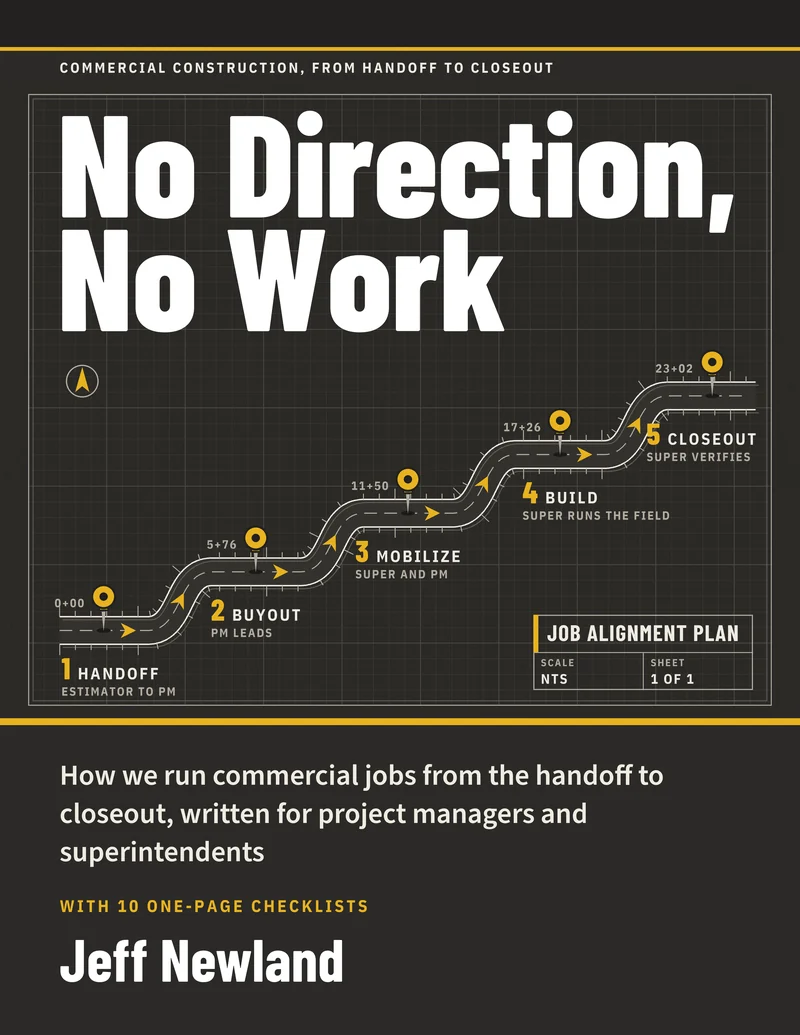
No Direction,
No Work
Practical systems for project managers and superintendents who are tired of unpaid change orders, late subs and messy closeouts.
- 13 chapters that follow a job from award to closeout, in 64 pages
- 10 one-page checklists you can print and use
- A Template Pack of 21 editable Word and Excel files
The paid books open soon. In the meantime, get the free licensing guide. Questions about the playbook or the packages? Email sales@runthework.com.
$67 for the PDF playbook. $297 with the Template Pack. $697 with the pack and a one-hour setup review. Compare the packages

The rule behind the title
If You Have Done Work You Never Got Paid For, This Is for You
It is for project managers, superintendents and the contractors who employ them, on commercial jobs. If you have chased a sub who would not show up, or spent months after substantial completion collecting paper, the system in this book was written for that.
No direction, no work. Changed work starts only with written direction from someone authorized to give it.
Write it down, give it an owner, and do not build on a guess.
Who does what
Three Roles, One Owner for Every Task
Every task has one owner. If it affects profit, the PM owns it. If it affects the work in the field, the superintendent owns it. If it is documentation, the project coordinator owns it.
| Project Manager | Superintendent | Project Coordinator |
|---|---|---|
| Owns profit and the contract | Owns field execution | Owns systems and documentation |
|
|
|
What is inside
One System From the Day You Win the Job to the Day You Close It Out
13 chapters in five phases: handoff, buyout, mobilize, build and close. Each chapter opens with a rule, then the process, the common mistake and what to do Monday.
- All phases
Chapter 1. Who Owns What
The PM owns profit, the superintendent owns field execution, the coordinator owns documentation.
- Handoff
Chapter 2. The Handoff From Estimating
A handoff meeting within 24 hours of award, with an owner and a date on every action item.
- Buyout
Chapter 3. Buying Out the Job
Every major trade awarded, under contract and on the log by 25% of contract time.
- Buyout
Chapter 4. Subcontracts, Waivers and Pay Apps
The paper that protects you. No sub works without an executed subcontract.
- Mobilize
Chapter 5. Mobilization and Site Logistics
Mobilize when the checklist is done and the PM and superintendent agree the site is ready.
- Build
Chapter 6. Submittals and RFIs
Controlling the information flow. Approved before installation, and questions go in writing.
- Build
Chapter 7. Weekly Meetings, Lookaheads and the Schedule
Lookahead out 48 hours before the sub meeting, notes out in 2 to 4 hours.
- Build
Chapter 8. Change Orders
No direction, no work. Changed work starts only with written direction, documented the day it is found.
- Build
Chapter 9. Managing Subs, Inspections and Quality
Verify quality in person. Never close an item you have not walked.
- Build
Chapter 10. The Weekly Numbers
The project health check. Update the logs first, then run the numbers.
- Build
Chapter 11. Job Costing
Every bill coded to where it belongs, supervision labor charged to the job, and a monthly job P&L review with a worked example.
- Close
Chapter 12. Punch, Closeout and Lessons Learned
If you would not accept it in your house, do not accept it on the project.
- All phases
Chapter 13. Using AI on Your Jobs
Where an AI assistant saves time, where it makes mistakes, and how you check its work against the contract documents.
The book then lays out a 90-day plan to roll the system out in three steps instead of all at once, and ends with ten one-page checklists in the appendix.
Write It Down. Give It an Owner.
Do not build on a guess.
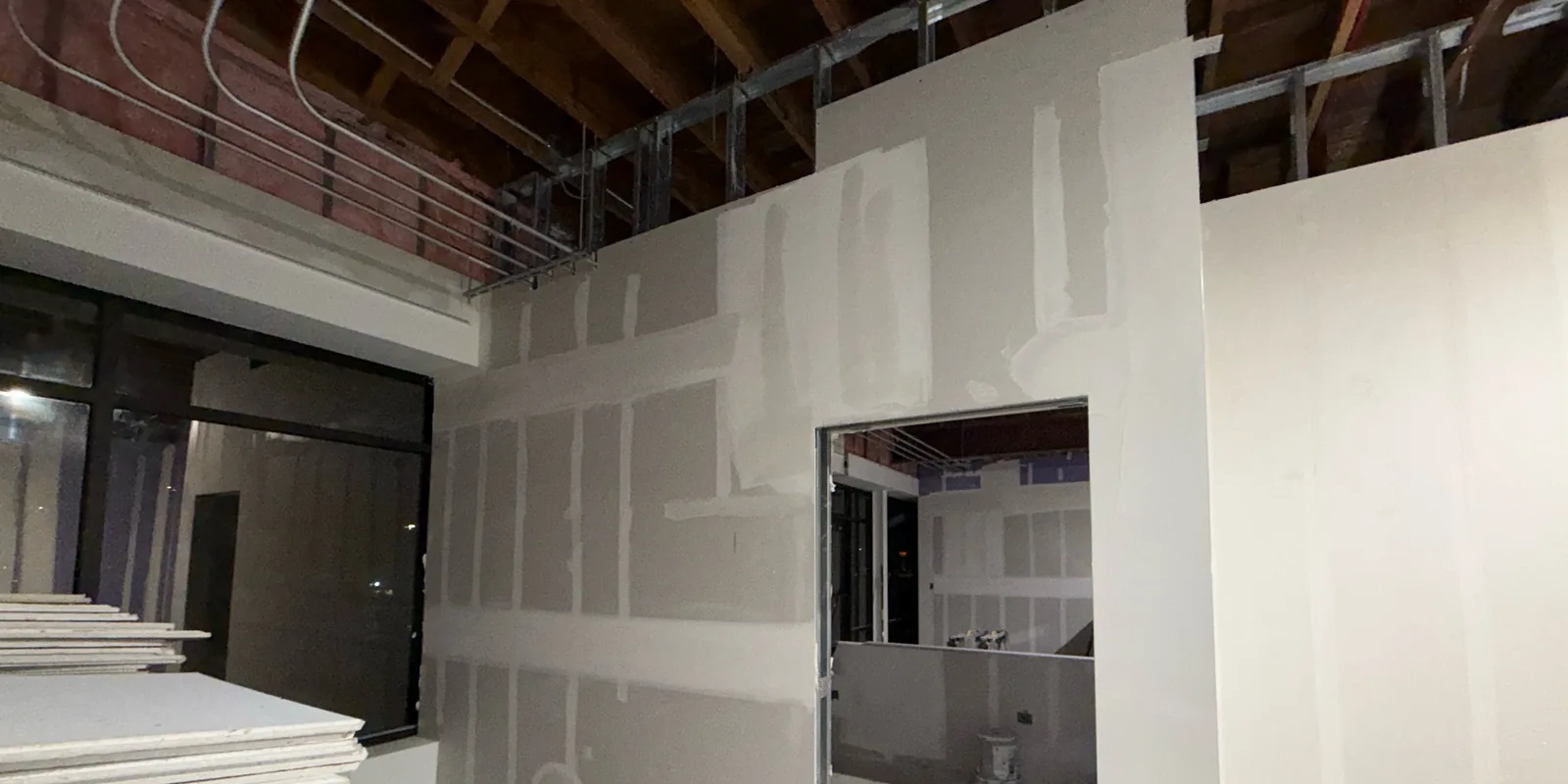
The appendix, included in the playbook
Ten One-Page Checklists for the Field and the Office
- A1Handoff Meeting Agenda: Estimating to Operations
- A2Buyout Checklist and Scope Gaps
- A3Mobilization Checklist
- A4Ready-to-Start Checklist: Subcontractor Trade Mobilization
- A5Pre-Installation Meeting Checklist
- A6Weekly Subcontractor Meeting Agenda
- A7Change Order Package Checklist
- A8Inspection Readiness Checklist
- A9Weekly Project Health Check: What to Track
- A10Punch Walk and Closeout Checklist
Look inside
Pages From the Book
These are pages from the PDF. Select one to see it full size.
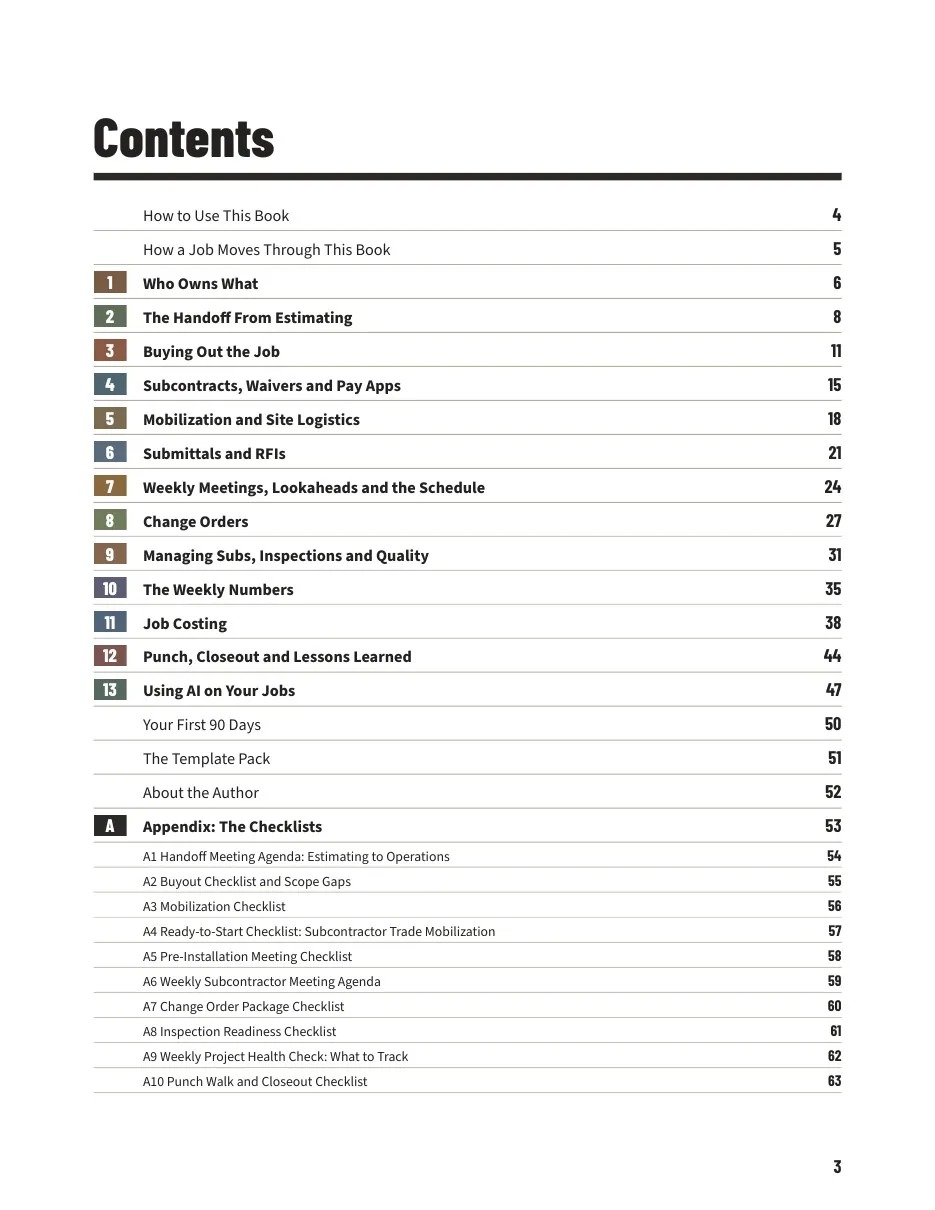
Page 3Contents 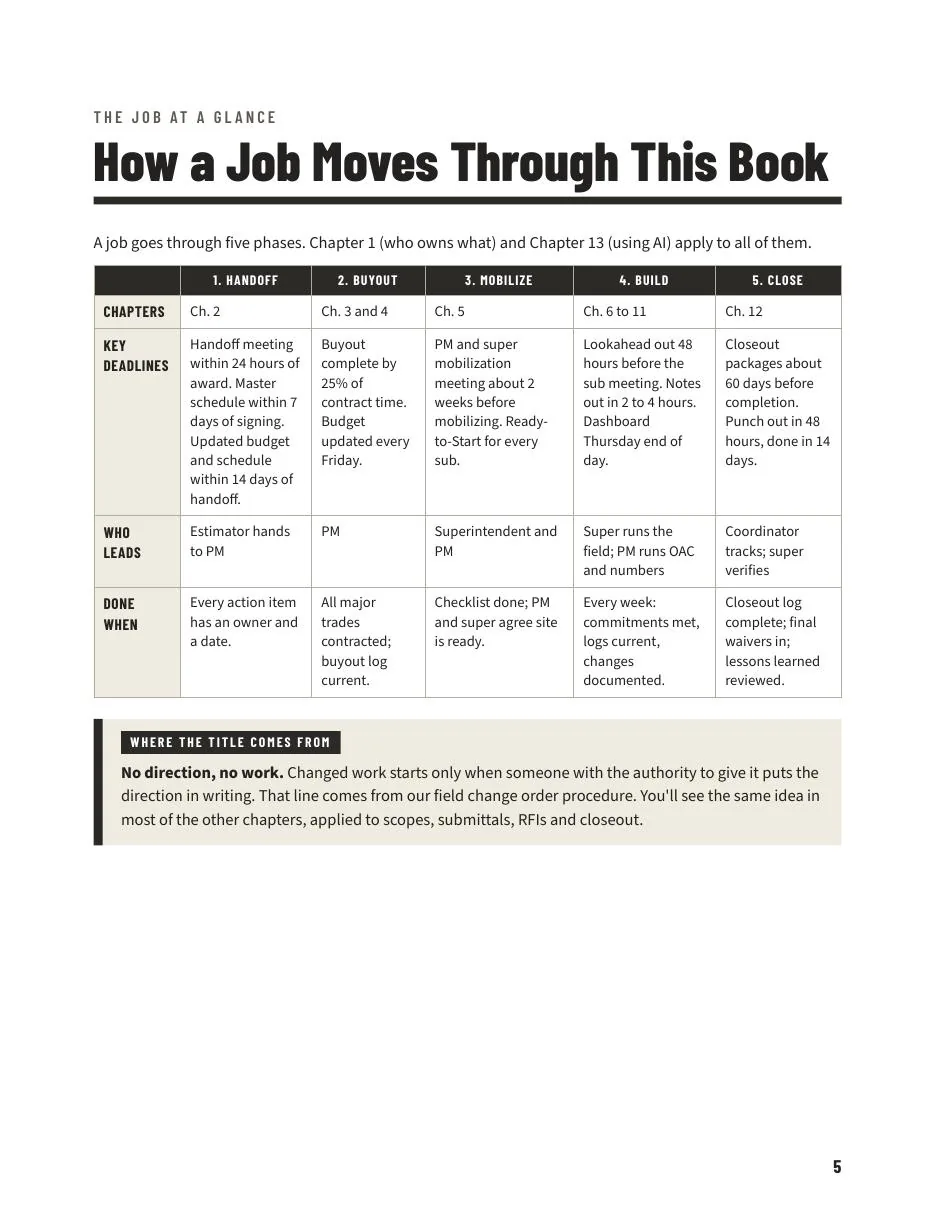
Page 5How a job moves through the book 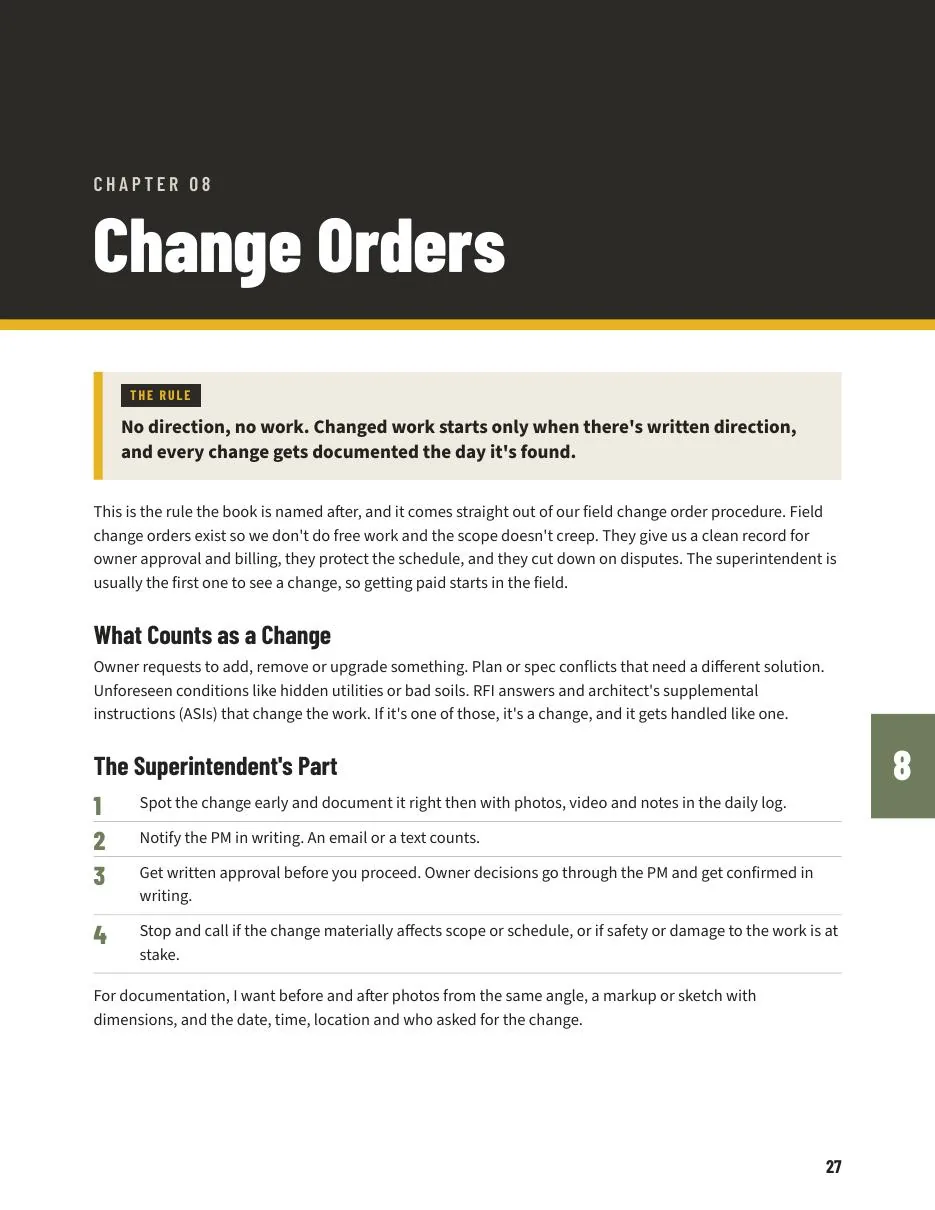
Page 27Chapter 8: change orders 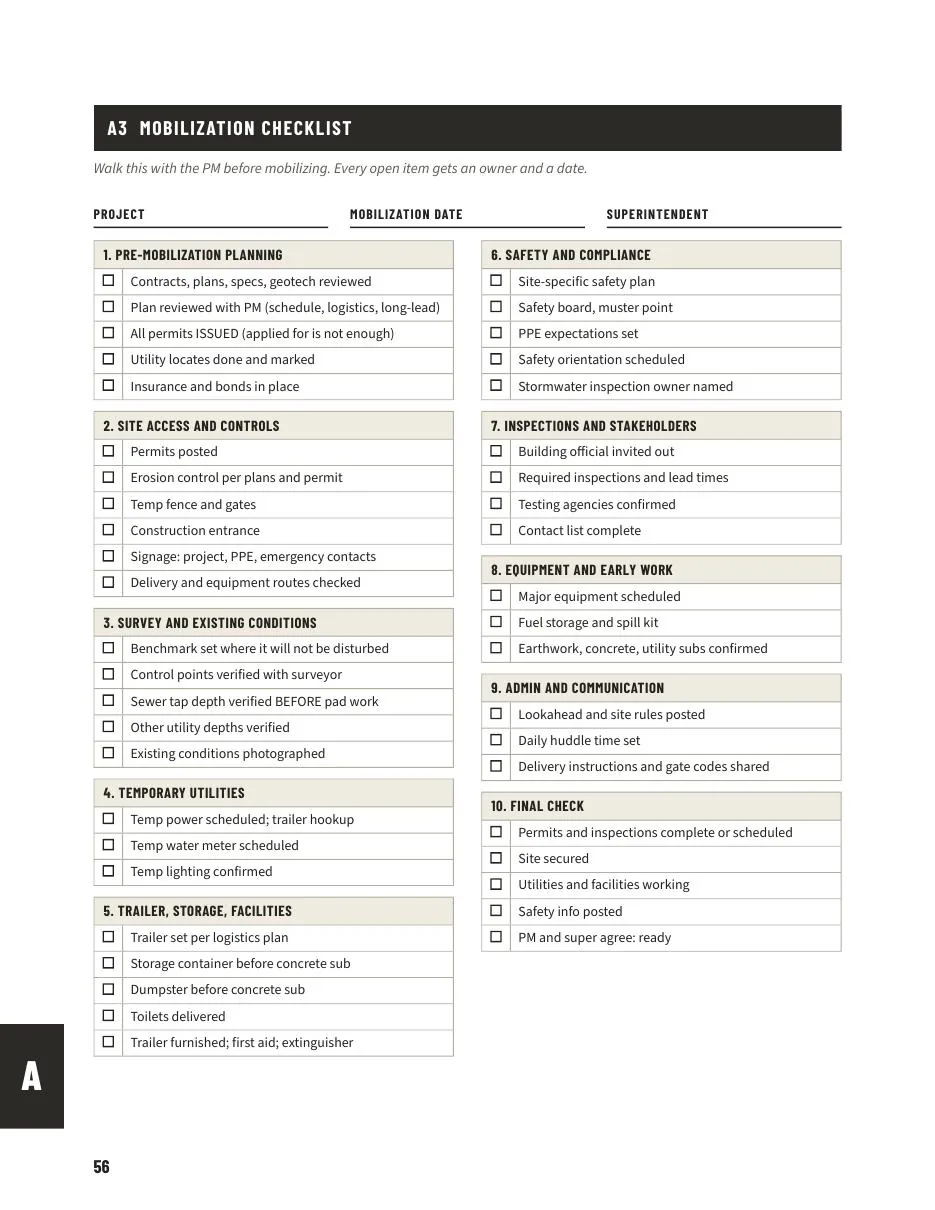
Page 56Checklist A3: mobilization
Free sample chapter
Read a Free Sample Chapter
Chapter 8, Change Orders, is the rule the book is named after. Read it as it appears in the PDF, three pages, before you decide.
- The Rule, and what counts as a change
- The superintendent's four steps
- From change event to change order, step by step
- Time and material tickets, and what backup looks like
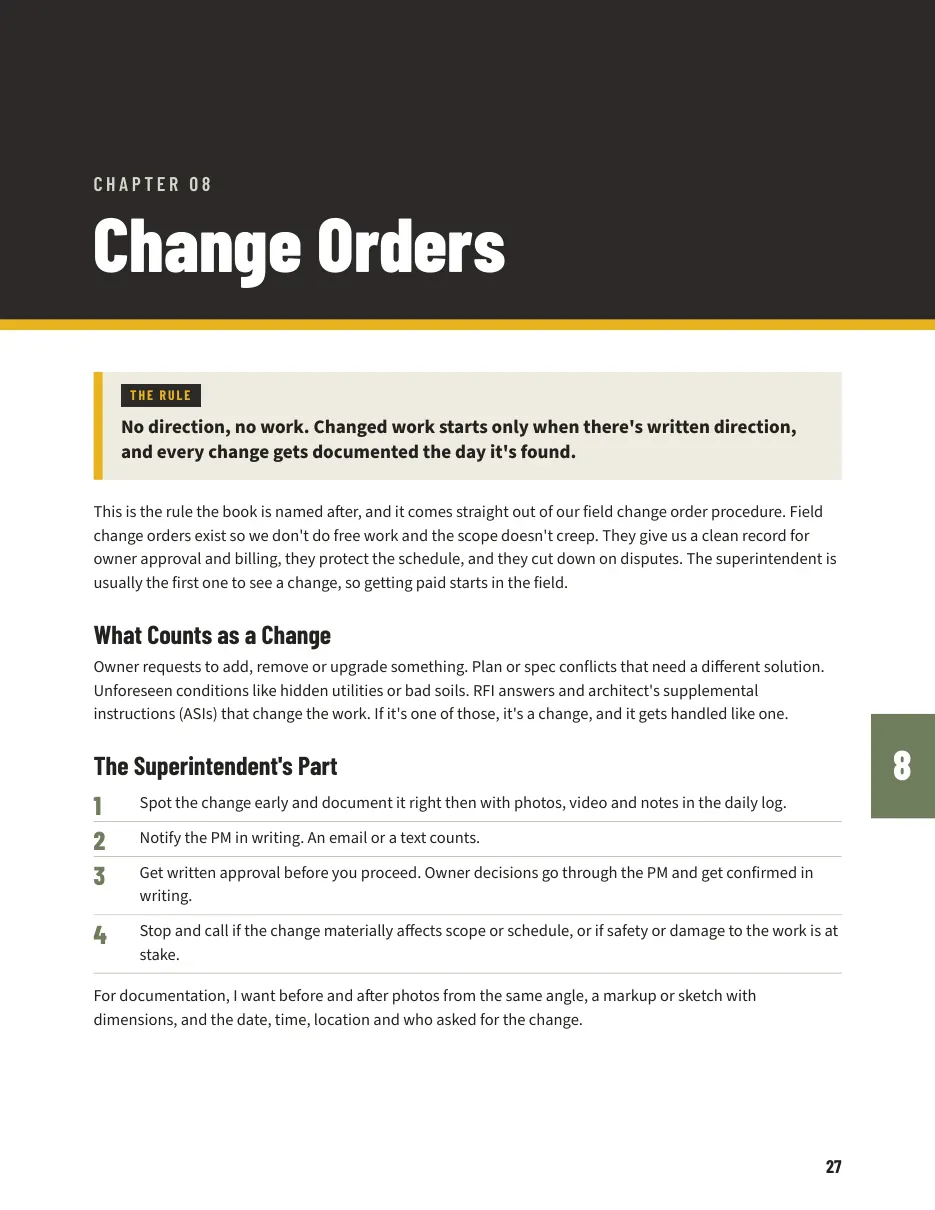
Page 27 of the playbook, the first page of the sample.
Template Pack
The Editable Files Behind the Playbook
21 files in Word and Excel: a Read Me First and 20 templates, in 19 numbered items. 16 are Word and 5 are Excel. Each one was rebuilt with no real names, projects or rates. The spreadsheets use obvious sample values you replace with your own.
$349 on its own, or $297 with the playbook. Also included in the $697 package.

- 1Estimating-to-Operations Handoff Meeting Agenda (12 Items)
Word - 2PM and Superintendent Mobilization Meeting Agenda With First-60-Days Watch List
Word - 3Buyout Checklist, Scope Gaps List and CSI Trade Checklist
Word - 4Subcontract Package and Pay App Package Checklists
Word - 5Mobilization Checklist (10 Sections)
Word - 6Ready-to-Start Checklist With Signature Block
Word - 7Pre-Installation Meeting Checklist
Word - 83-Week Lookahead
Excel - 9Weekly Subcontractor Meeting Agenda and Notes
Word - 10Weather and Delay Tracker
Excel - 1148-Hour Notice to Cure Letter Template (for Attorney Review)
Word - 12Change Order Backup Template and Change Order Backup Directive to Subs
Excel and Word, 2 files - 13Inspection Readiness Checklist With Trade Add-Ons
Word - 14Punch Walk Checklist and Subcontractor Closeout Package Checklist
Word - 15Closeout Tracking Log, Codes A to H
Excel - 16Project Feedback Form and Lessons Learned Log
Word - 17Weekly Project Health Check: What to Track (One Page)
Word - 18Monthly Job Cost Review Checklist
Word - 19Example Job P&L With Supervision in Job Cost, the Chapter 11 Example
Excel
Inside the Template Pack
Real Templates, Not Mockups
These are screenshots of files from the Template Pack. They show the sample values that come in the files, which you replace with your own. Select an image to see it full size.
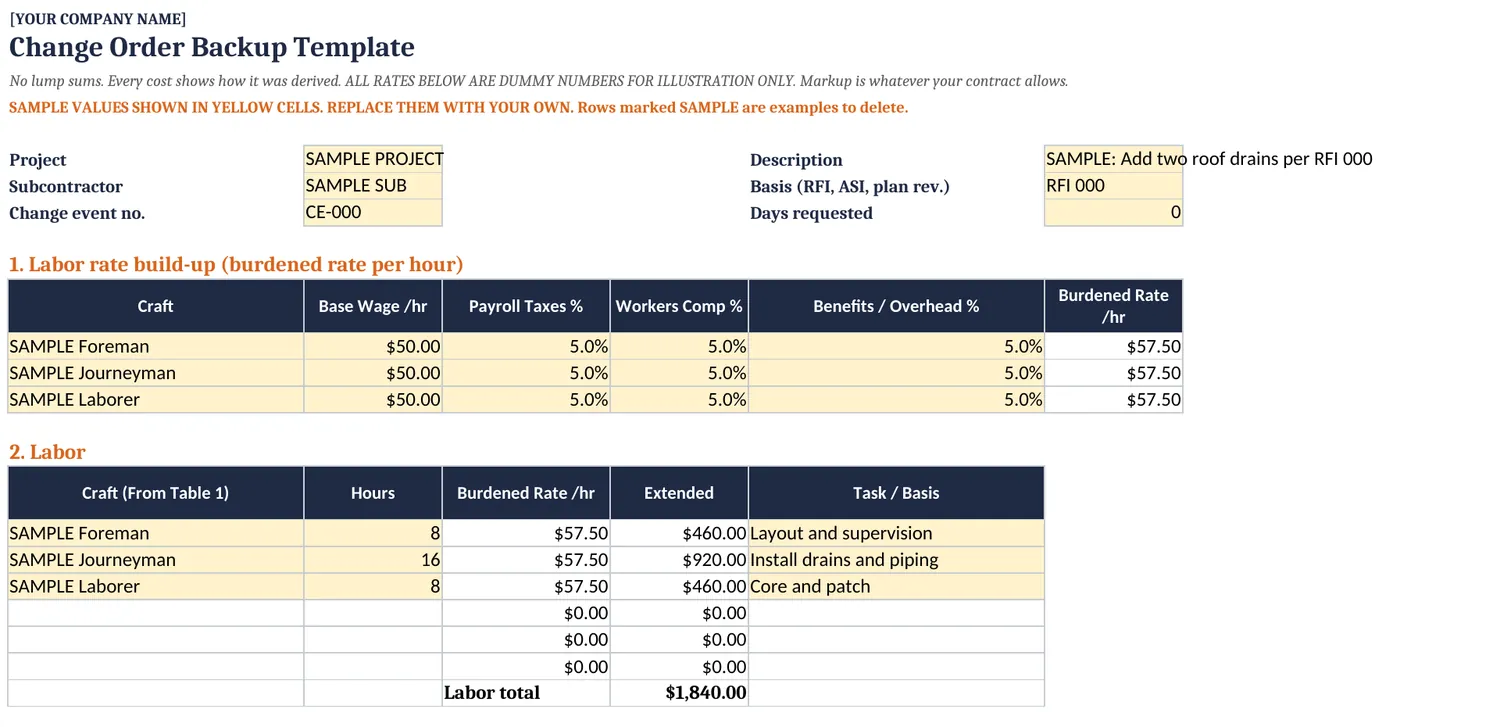
Template 12aChange Order Backup Template (Excel) 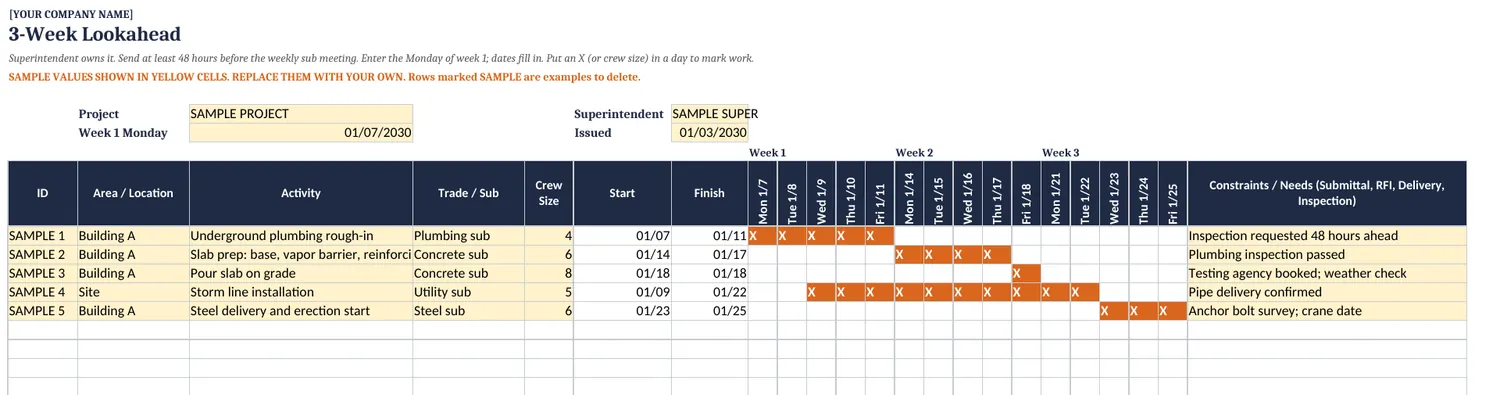
Template 083-Week Lookahead (Excel) 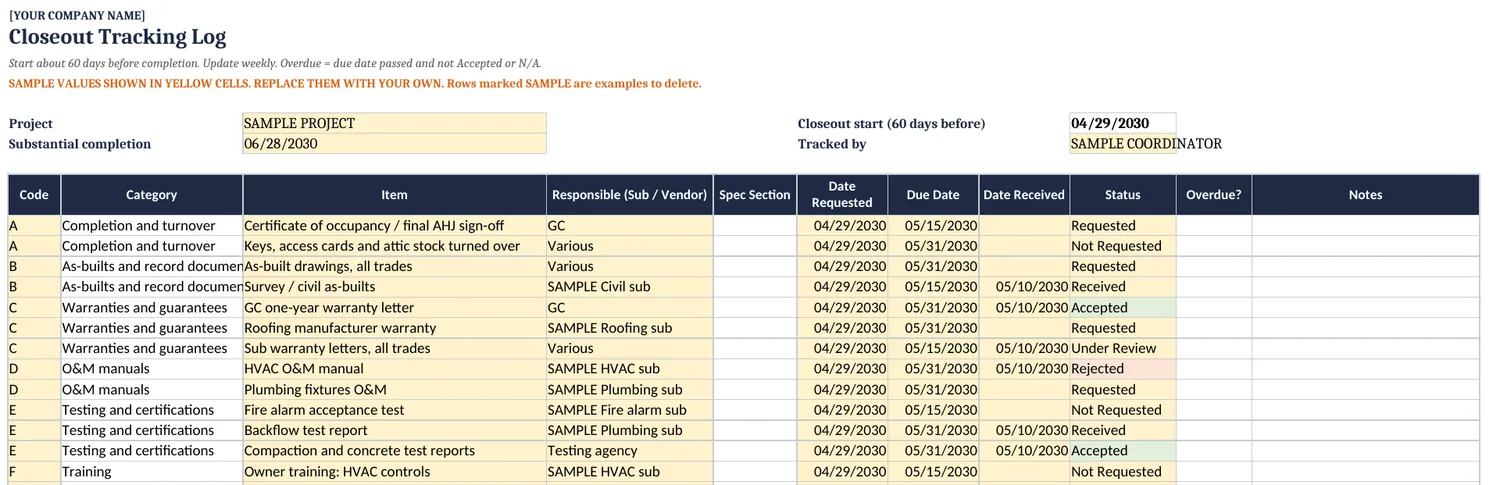
Template 15Closeout Tracking Log (Excel)
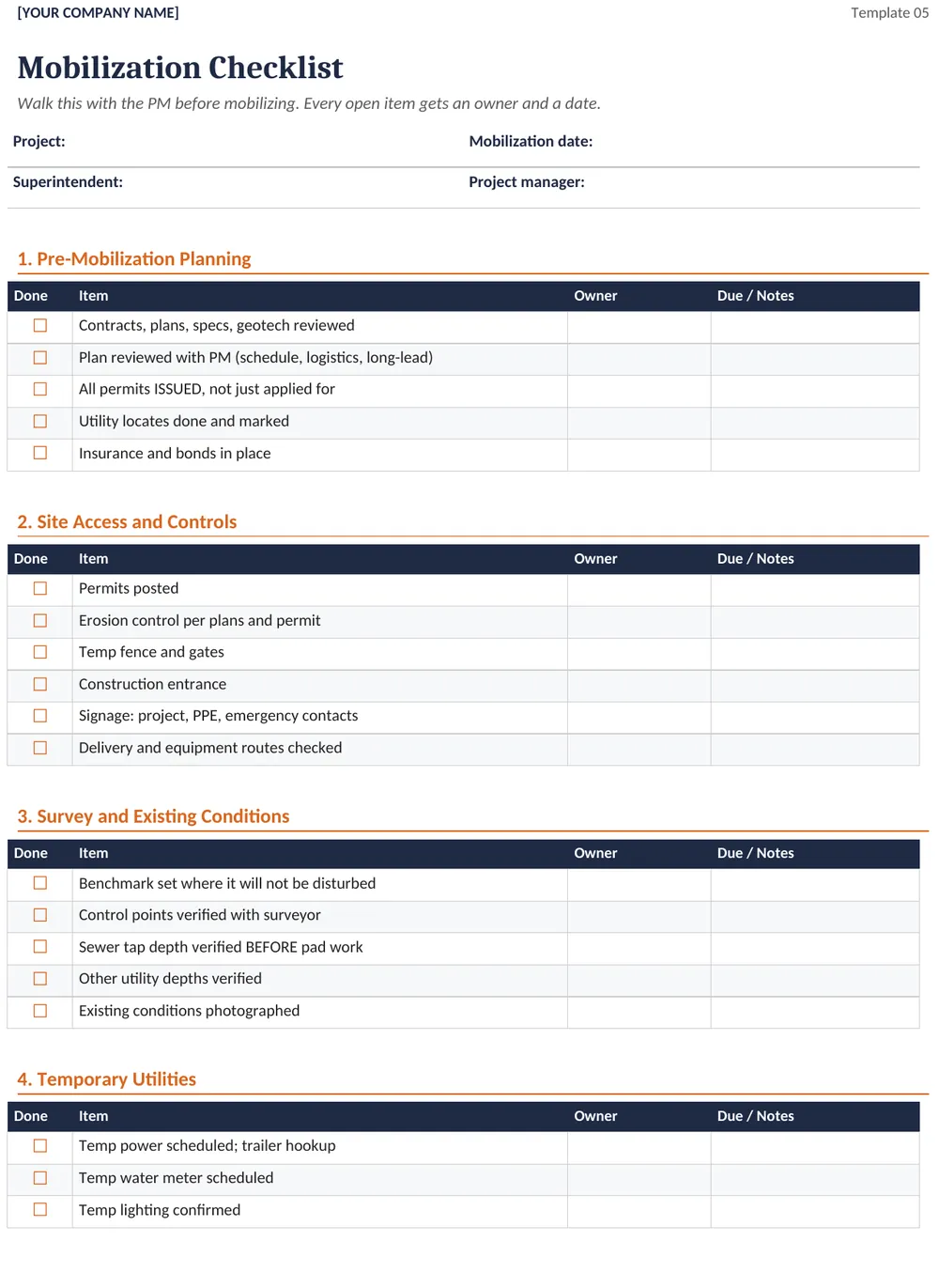
Template 05Mobilization Checklist (Word) 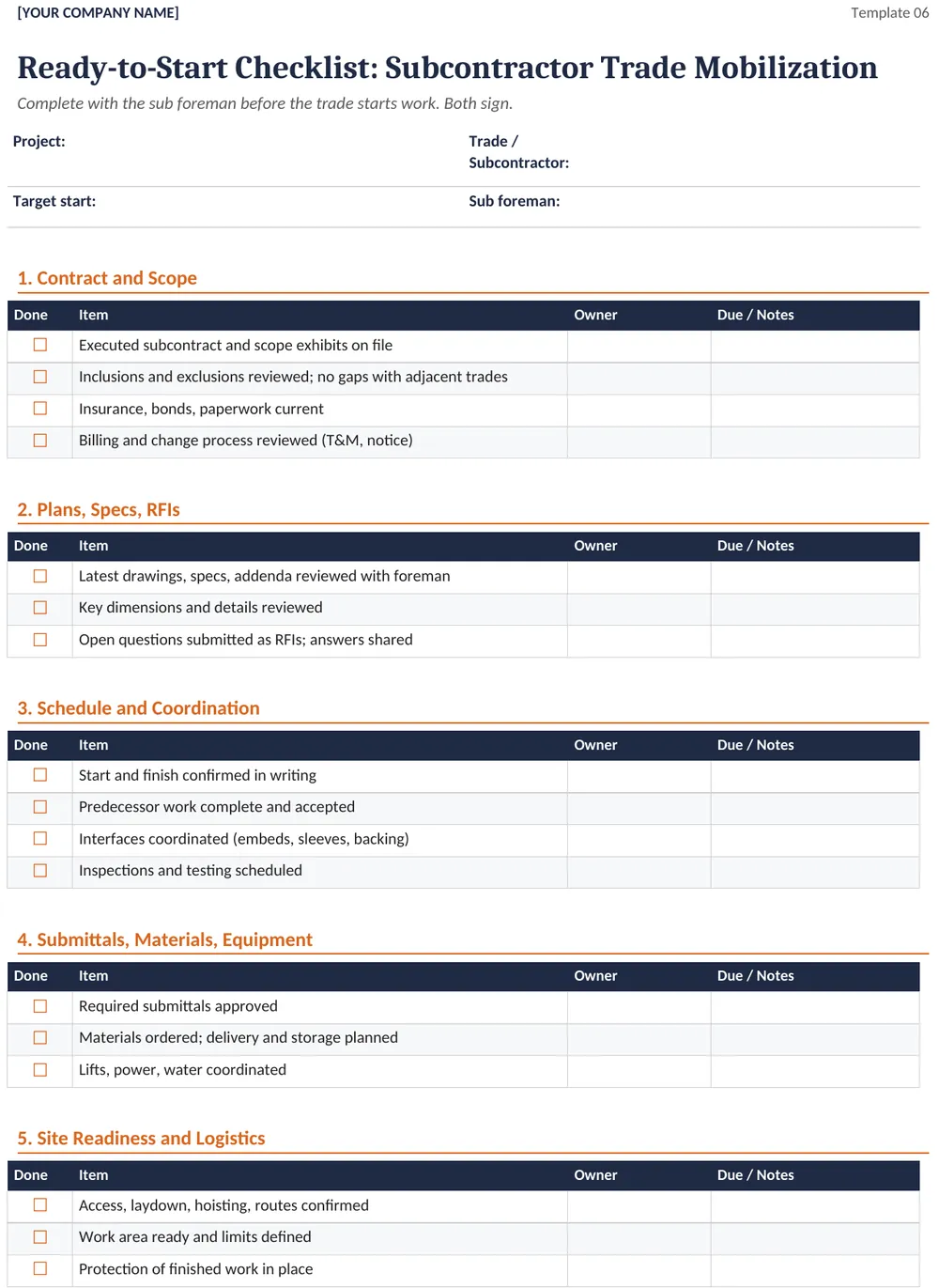
Template 06Ready-to-Start Checklist (Word) 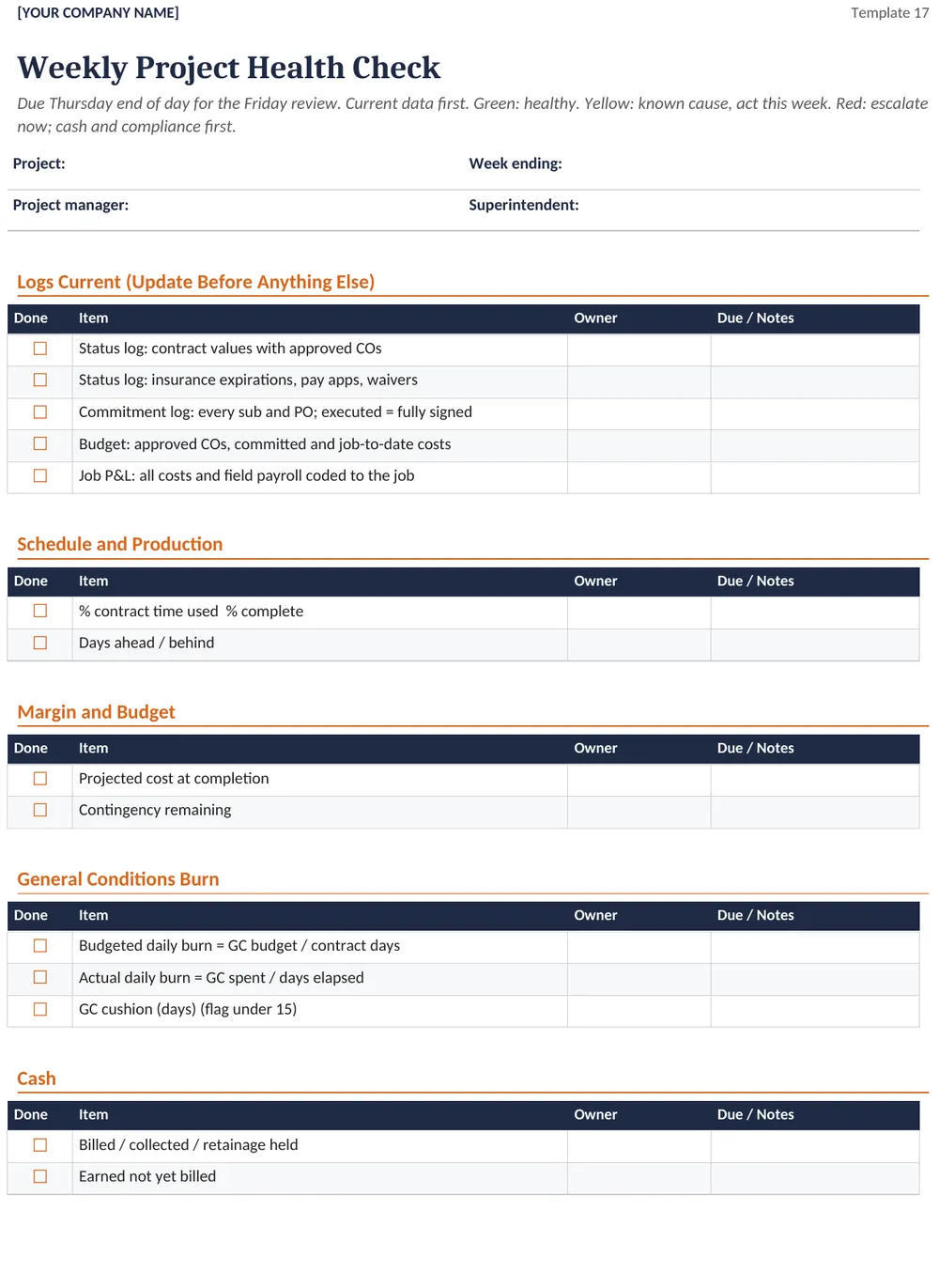
Template 17Weekly Project Health Check (Word)
A real job, from Chapter 11
See a Real Job P&L Breakdown
Chapter 11 shows the P&L from one finished commercial job. The project name was changed. Supervision labor and the job's own general conditions are counted inside job cost, so the gross margin on the report is the number you can judge the job by. Select a page to see it full size.
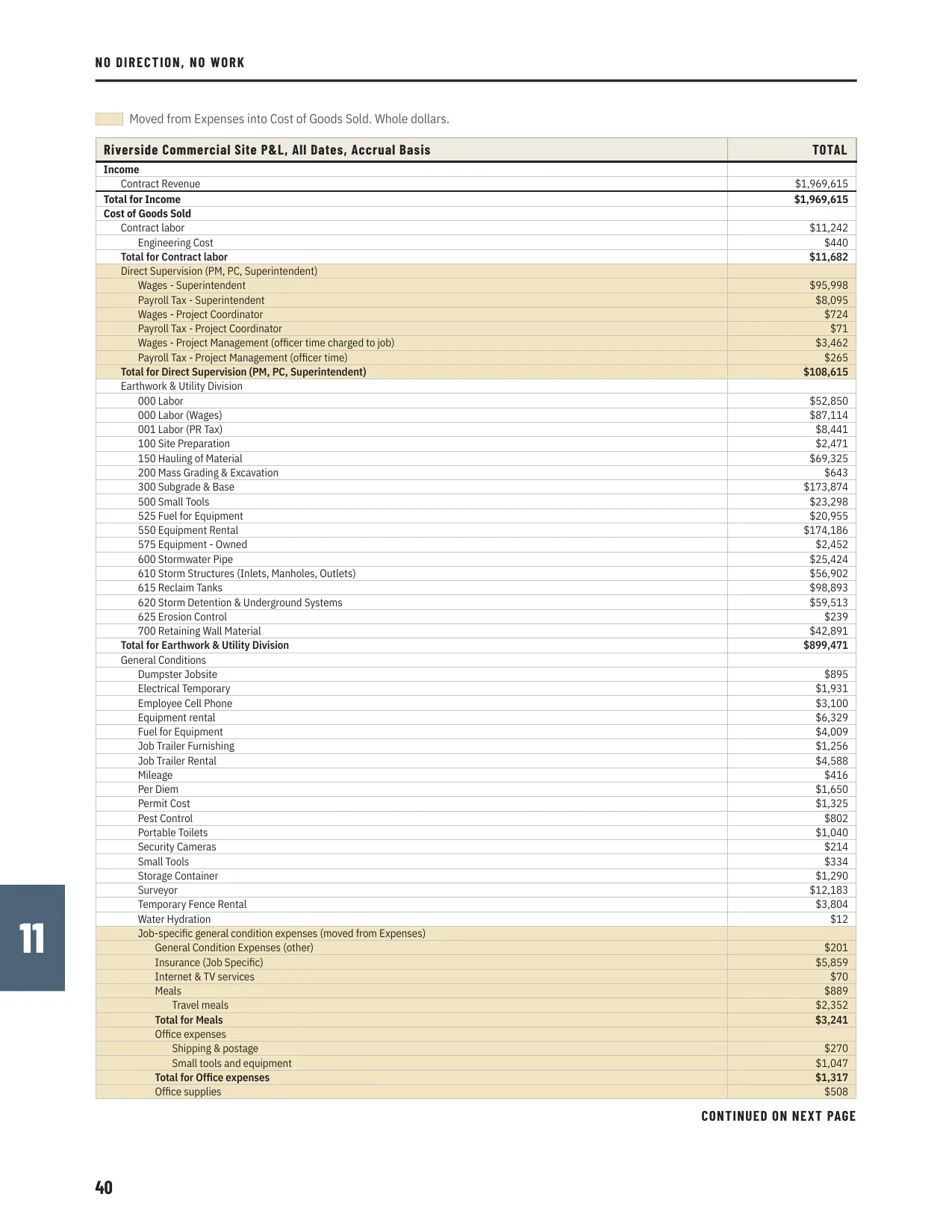
Page 40The job P&L, first page 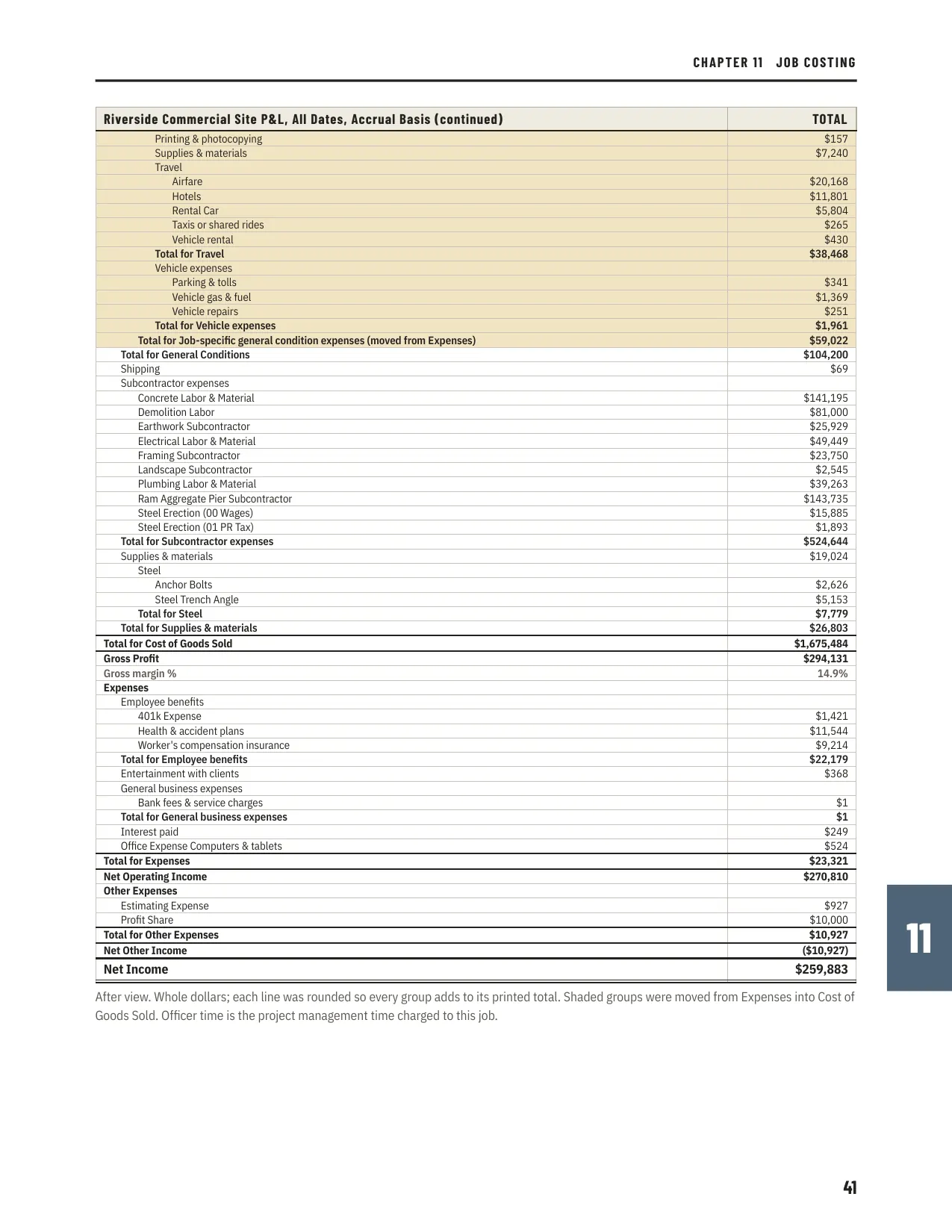
Page 41The job P&L, second page
The shaded groups moved from Expenses into Cost of Goods Sold. The book walks through why, and what it does to gross margin.
Get it
Pick What You Need
The playbook alone, the playbook with the Template Pack, or both with a one-hour call about your own setup. The Template Pack is also sold on its own.
The Playbook
$67
No Direction, No Work as a PDF.
- 64 pages, 13 chapters from award to closeout
- 10 one-page checklists in the appendix
- The 90-day plan to roll it out
Playbook and Template Pack
$297
Everything in Tier 1, plus the editable files. Less than the Template Pack alone.
- The 64-page playbook and 10 checklists
- The Template Pack: 21 editable Word and Excel files
- Change order backup, 3-week lookahead, job P&L and more
Playbook, Pack and Setup Review
$697
Everything in Tier 2, plus a call about your own setup.
- The playbook and the 21-file Template Pack
- A one-hour call where Jeff reviews your own setup
- Book the call on your download page right after you pay
Template Pack alone
$349 21 editable Word and Excel files, without the playbook. Get it with the playbook for $297.
The paid books open soon. In the meantime, get the free licensing guide. Questions about the playbook or the packages? Email sales@runthework.com.
License: you may copy the checklists and templates for your own company's projects only. No resale or sharing. Terms
The free licensing guide, No License, No Work, stays free with an email sign-up. Get the free guide
Free guide
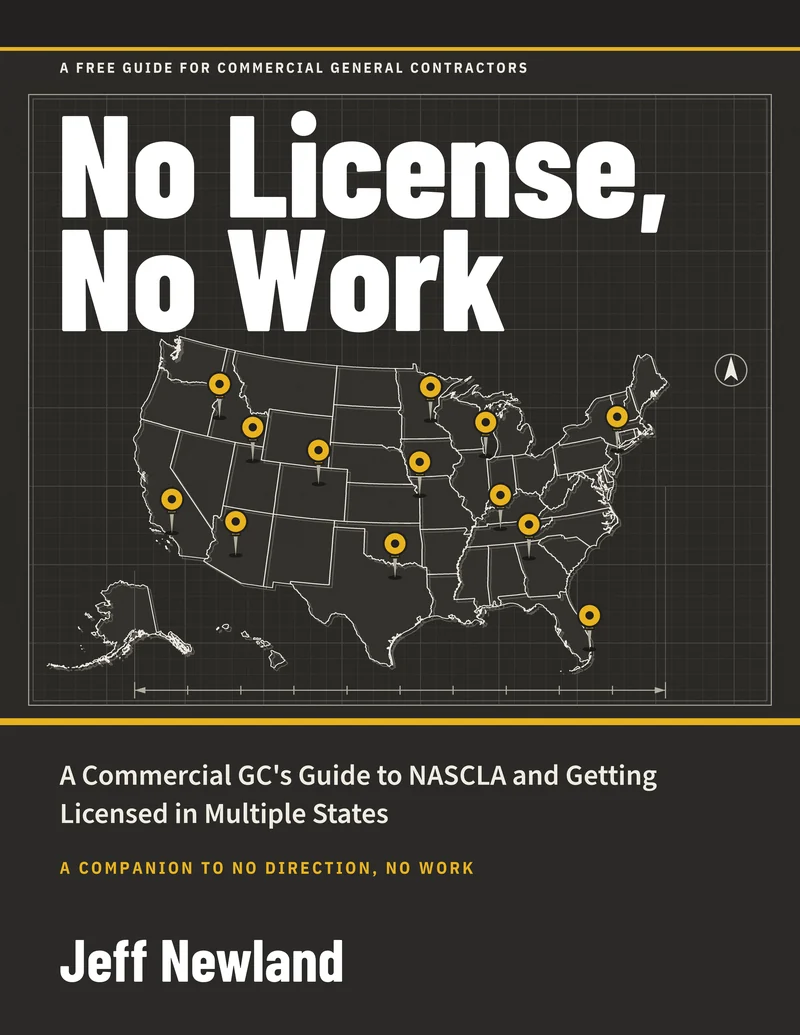
No License, No Work
A Commercial GC's Guide to NASCLA and Getting Licensed in Multiple States. 25 pages, a companion to No Direction, No Work. Free by email.
Questions
Straight Answers
What format is the playbook?
It is a 64-page PDF. It is written to be read on a phone, tablet or laptop, and the ten checklists in the appendix are one page each, so you can print them.
What is in the Template Pack?
21 editable files in Word and Excel: a Read Me First and 20 templates, including the handoff agenda, the buyout and closeout checklists, a 3-week lookahead, a weather and delay tracker, a change order backup template and the Example Job P&L from Chapter 11. Every template was rebuilt with no real names, projects or rates. The spreadsheets use obvious sample values you replace with your own.
Do I need the Template Pack to use the playbook?
No. The playbook stands alone at $67 and includes ten one-page checklists. The Template Pack is $349 on its own and comes with the playbook in the $297 and $697 packages. It gives you the editable versions to put your name on and drop into your project folders.
What do the packages include?
$67: the playbook as a PDF. $297: the playbook and the 21-file Template Pack. $697: the playbook, the Template Pack and a one-hour call where Jeff reviews your own setup. The Template Pack alone, without the playbook, is $349, so the $297 package costs less than the pack by itself.
What is the one-hour call?
A one-hour call with Jeff, who reviews your own setup. You book it on Calendly, on your download page, right after you pay. It runs on Zoom.
Can I read some of it before I buy?
Yes. Chapter 8, Change Orders, is a free three-page sample on this page, and the free guide No License, No Work comes with an email sign-up.
Can I share the templates?
No. You may copy the checklists and templates for your own company's projects only. Do not resell them or share them outside your company. The terms have the details.
Does it depend on a specific software platform?
No. The system is written to work with any project management platform, accounting system or file storage you use.
Are the deadlines and percentages legal requirements?
No. The time frames and percentages in the book, such as 24 hours, 7 days and 25% of contract time, are internal targets or contract-specific examples. Check your contract and your state's rules before you rely on any of them.
Is this legal advice?
No. The book is general information for construction professionals. It is not legal, accounting, insurance, tax or safety-compliance advice. The 48-Hour Notice to Cure letter template is meant for attorney review.
Does the book use real project or company names?
No. Project, client, subcontractor, vendor and employee names were removed from every example.
How do I get the files after I buy?
After you pay, you go straight to a page with your download links. Stripe also emails you a receipt.
Who do I ask if I have a question before I buy?
Email sales@runthework.com.